Settings
Tenki Code Reviewer exposes a small set of configuration options to control when it runs and how much signal it produces.
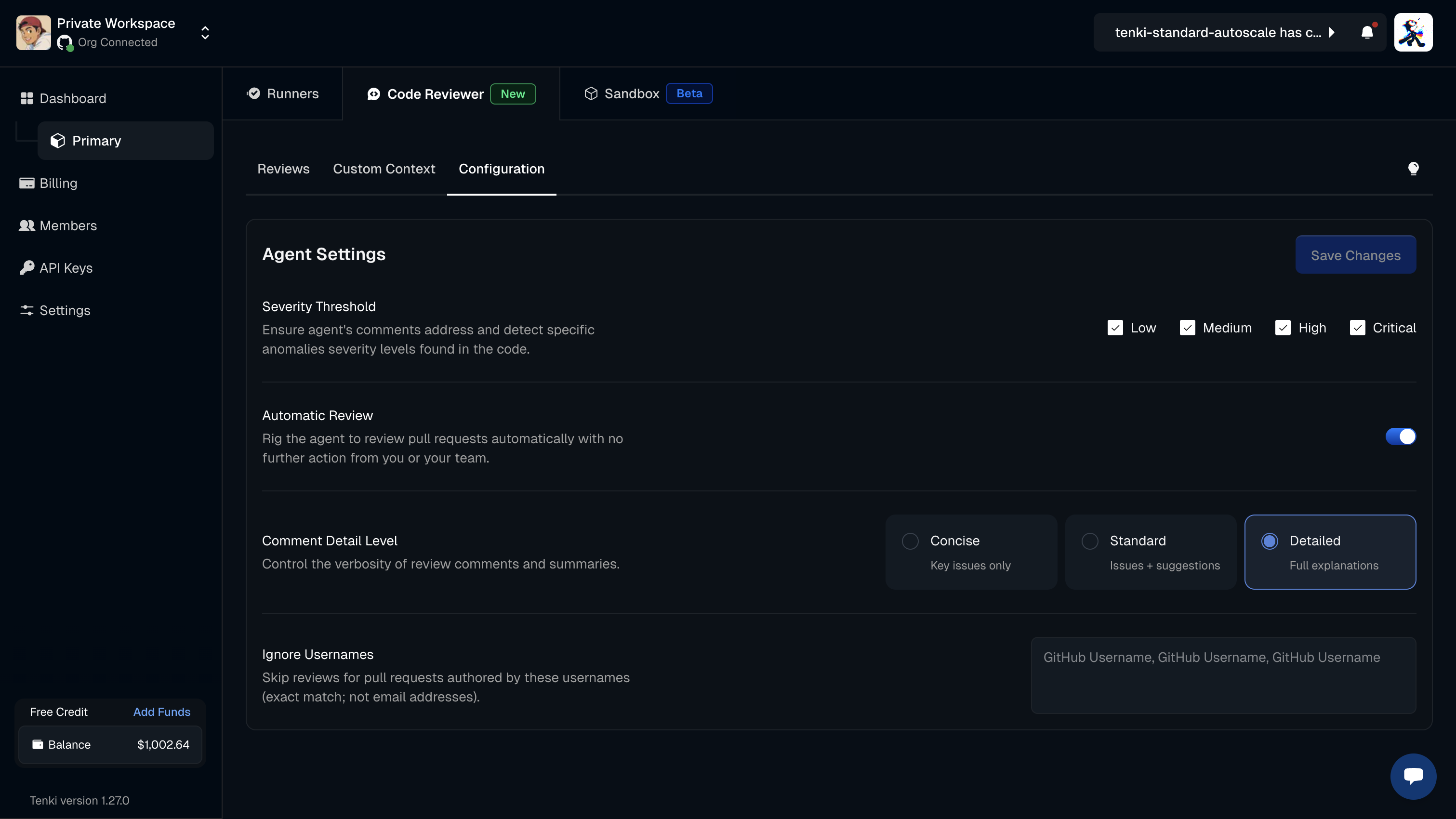
Every setting below applies workspace-wide by default. Use the Scope selector at the top of the configuration to override any setting for a single repository. See Per-repository overrides.
Who can run reviews
Every member of your workspace can trigger a review — automatically when a pull request is opened or updated, or
manually by mentioning @tenki-reviewer. There are no per-user seats to assign.
Reviews are billed at $1.00 each and draw from your workspace balance, so what gates reviews is your balance and any spending limit you have set, not a per-user allowance. To keep specific authors from triggering automatic reviews, add them to Ignore Usernames.
Severity Threshold:
Controls which findings are surfaced in the review.
You can choose to include the following severity levels:
- Critical
- High
- Medium
- Low
By default, all four severity levels (Critical, High, Medium, and Low) are enabled.
Because every level is on by default, reviews surface the full range of findings, including non-blocking issues and minor observations. Deselecting lower levels narrows the review to higher-severity issues.
Automatic Review
Controls when the agent runs on a Pull Request.
Available modes:
- On: runs on every PR update
- Off: runs only when the agent is explicitly mentioned or tagged in the PR
Review on Push
Controls whether the agent re-reviews when new commits are pushed to an open pull request.
Available modes:
- On: re-reviews the PR each time new commits are pushed
- Off: reviews once and does not re-run on later pushes
Approve on Clean Review
Controls whether the agent approves the pull request when a review finds nothing worse than nitpicks.
Available modes:
- On: the agent approves the PR when the review surfaces no blocking findings
- Off: the agent comments on findings but never records an approval
Comment Detail Level
Controls the level of verbosity of the review.
Available modes:
- Concise: A brief overview of the vulnerabilities.
- Standard: The default option; provides a few sentences with enough detail about the issues or vulnerabilities detected.
- Detailed: The most comprehensive option; offers in-depth information about each issue or vulnerability found.
PR Walkthrough
Controls whether the agent adds a walkthrough of the change to the pull request description.
Available modes:
- On: adds a summary walkthrough of the change to the PR description
- Off: leaves the PR description untouched
Ignore Usernames
Allows excluding specific authors from automated reviews.
You can add one or more GitHub usernames to prevent Tenki Code Reviewer from running on PRs created by those users.
Common use cases:
- Bot or automation accounts
- Experimental or sandbox contributors
- Temporary exclusions during testing